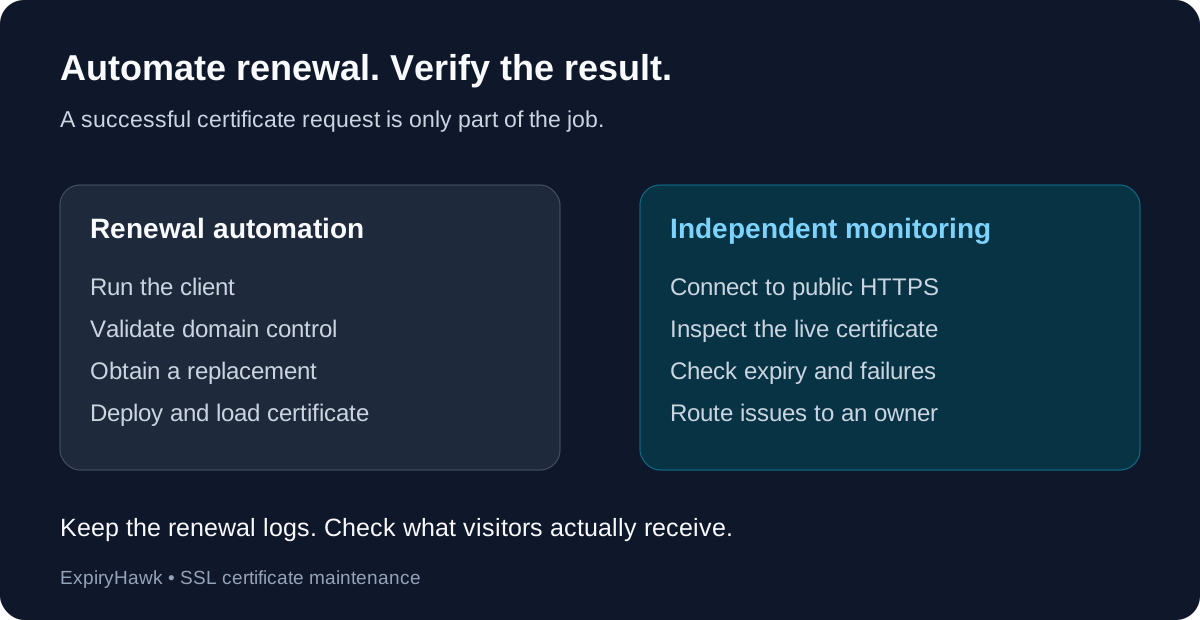
No—SSL auto-renewal does not remove the need for monitoring. Renewal automation obtains a replacement certificate; monitoring checks whether the public service is presenting a current certificate. A scheduled job can stop running, validation can fail, or a renewed certificate can remain undeployed. Use automation to handle renewal and independent checks to verify the result.
Where Can Automatic Renewal Fail?#
Think of renewal as a sequence: run the client, prove domain control, obtain the certificate, deploy it, and load it into the HTTPS service. Each step needs to work.
For example, Let’s Encrypt’s HTTP-01 validation requires port 80. A firewall or routing change can interrupt that validation path. DNS-01 automation depends on correctly creating challenge records; DNS API access and propagation matter. These requirements are explained in Let’s Encrypt’s challenge documentation.
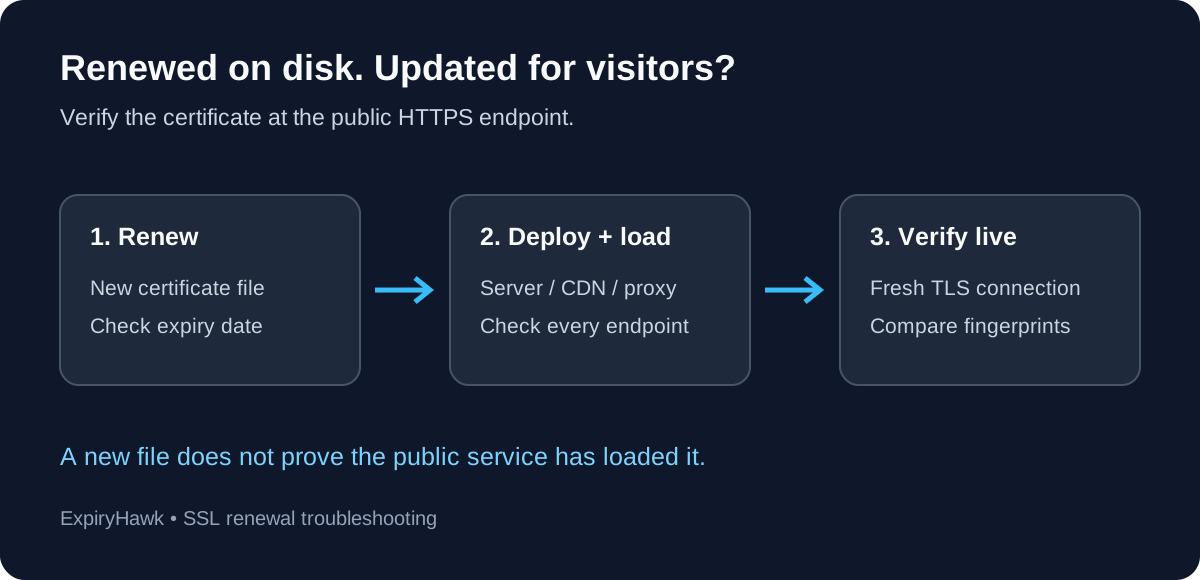
Issuance can also succeed while the public endpoint keeps presenting an older certificate. This is why checking only renewal logs or certificate files leaves a gap.
1. Confirm the Renewal Job Actually Runs#
Identify what starts your ACME client: a systemd timer, cron job, container scheduler, or hosting provider’s managed process. Check recent executions and failures, rather than relying on the fact that automation was enabled months ago.
On a systemd-based server, this command lists timers:
systemctl list-timers --allFind the timer used by your installation and inspect its associated service logs. Names vary by package and installation method. For managed hosting, review the provider’s renewal status and escalation process.
2. Rehearse Renewal After Infrastructure Changes#
For a Certbot installation, run:
sudo certbot renew --dry-runCertbot documents this as a renewal test. By default it uses Let’s Encrypt’s staging environment; it does not install a new production certificate. Standard dry runs also skip deploy hooks unless explicitly requested, so a successful rehearsal does not prove deployment works.
Review the Certbot renewal and hook guidance before changing hooks. Repeat checks after relevant DNS, firewall, proxy, or credential changes.
3. Verify the Certificate Visitors Receive#
After a real renewal, inspect the live hostname and confirm its expiry date moved forward. Include the HTTPS endpoint at your CDN or load balancer, not just the origin server.
Check important hostnames separately, including the bare domain, www, and application subdomains. Where multiple servers handle traffic, verify deployment across them. A single successful response does not establish that every endpoint was updated.
If issuance succeeded but the live date did not change, use SSL Renewed but Still Showing Expired? to investigate deployment.
4. Make Monitoring Actionable#
Choose warning thresholds that leave your team enough time to investigate, and assign an owner who can act. Test the notification destination. Treat connection failures as problems to investigate rather than assuming the certificate is healthy.
Keep renewal logs for diagnosis and external certificate checks for outcome verification. Neither replaces the other.
For a quick independent check after renewal, use the ExpiryHawk SSL Checker. The useful question is whether visitors receive the intended certificate today—and whether you will notice if that stops being true.