Protect Client Trust Across Every Website You Launch
Track client SSL certificates and domain registrar renewals from one external dashboard. Spot expired certs, host mismatches, and lapsed client credit cards months after launch—before your client calls about a “Not Secure” browser warning.
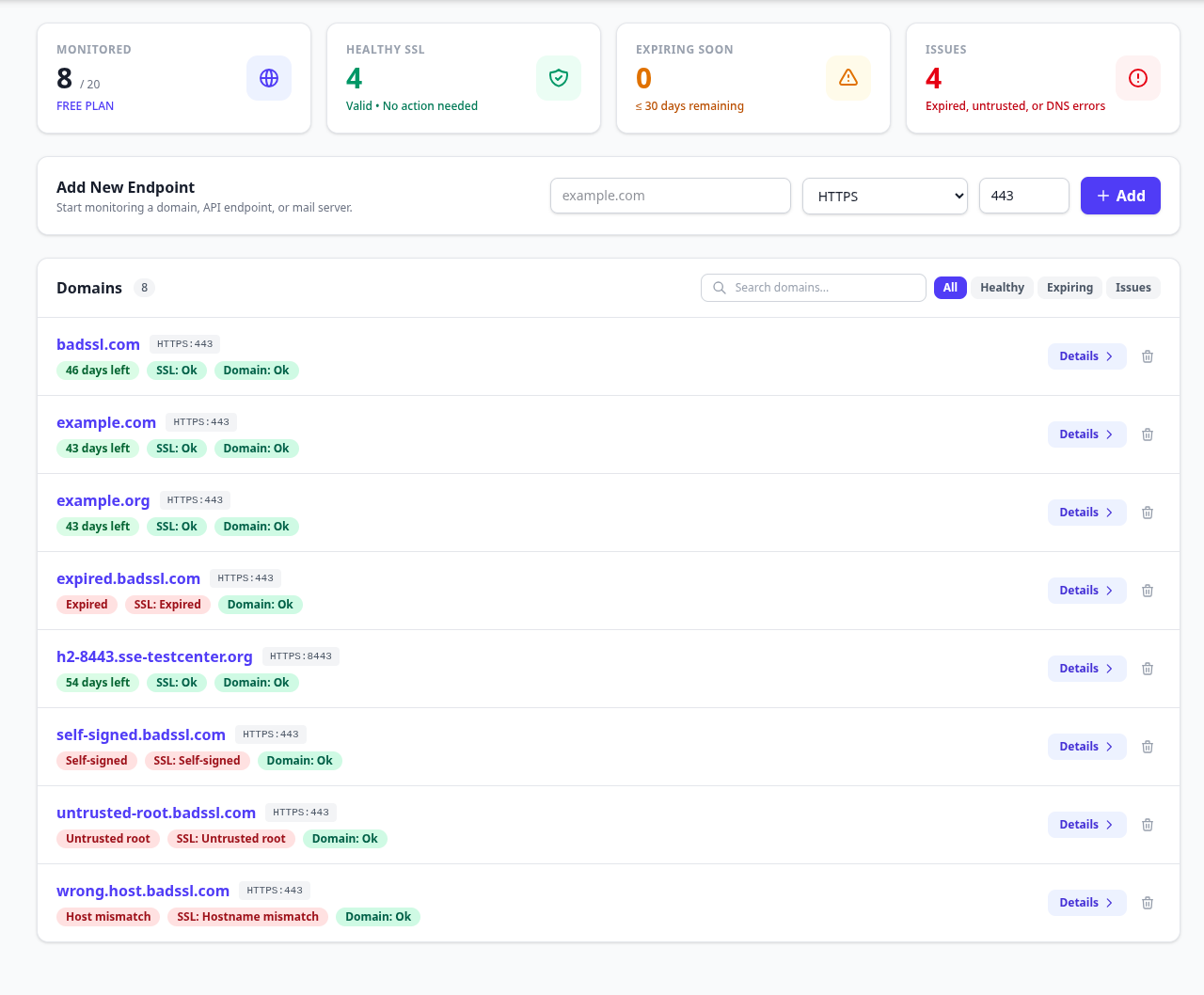
All / Healthy / Expiring / Issues), and exact problem tags (Expired, Untrusted root, Host mismatch).
Why Post-Launch Outages Happen Months After Handoff
Design and launch day are only half the lifecycle. Client domains live across dozens of registrars, DNS providers, and hosting stacks that change long after project sign-off.
Expired Client Cards at Registrars
When clients hold their own domain at GoDaddy, Namecheap, or Network Solutions, renewal invoices go to a founder's old email or charge an expired card. Tracking RDAP/WHOIS expiry alongside SSL warns your agency weeks before the domain drops.
Read: Domain expiry vs. SSL expiry →Third-Party DNS & Proxy Drifts
An external IT contractor edits an A or CNAME record, toggles proxy mode, or moves subdomains—breaking SAN matching. Twice-daily external scans catch Host mismatch, Untrusted, and NXDOMAIN errors fast.
Automated Renewal Verification
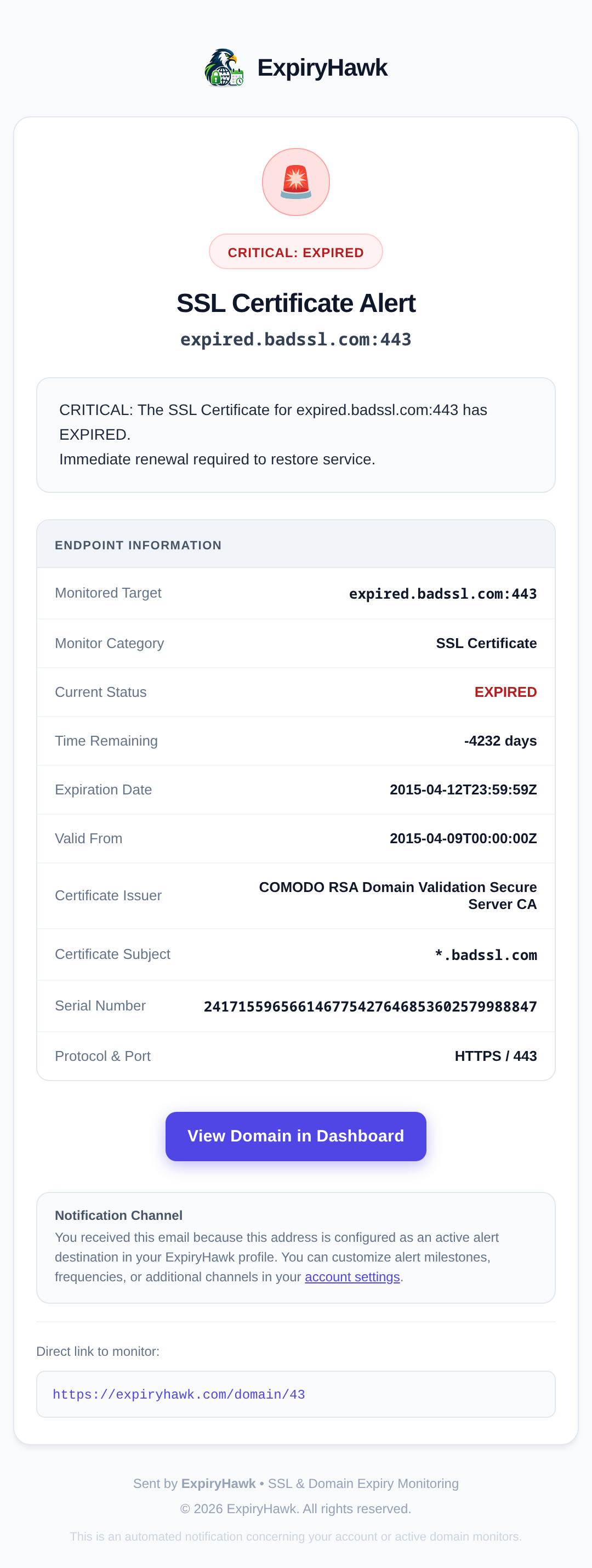
Opt into the Daily Certificate Renewal Digest email to confirm whenever a client's certificate rotates serial numbers cleanly—giving maintenance teams visible proof that renewals succeeded without manual spot-checks.
Explore Domain Expiry & RDAP checks →5-Step Client Launch & Handoff Checklist
Standardize SSL and domain hygiene before handing over keys or rolling a site onto a maintenance retainer:
-
1
Verify full TLS chain and SAN coverage on both apex (
client.com) andwwwusing the SSL Checker. -
2
Confirm domain lock status (
clientTransferProhibited) and expiry date with the Domain Expiry Checker. -
3
Add the live domain (and staging ports like
:8443if needed) to your ExpiryHawk watchlist. - 4 Configure your team lead time (e.g., 21 or 30 days) plus additional team email recipients or Slack Block Kit webhook alerts.
- 5 Run a quick external reachability verification via the Website Ping Test after DNS cutover.
Built for Website Management Teams
Clear diagnostics from an external customer perspective without dashboard bloat.
Monitor websites from an external perspective to detect live DNS, proxy, and TLS warnings visitors actually see.
Combines external SSL certificate monitoring with ICANN RDAP and WHOIS domain expiry monitoring for supported TLDs.
Deliver automated expiry alerts to Slack, Discord, Telegram, Email distribution lists, Browser Push, or WhatsApp.
Start monitoring 20 client endpoints free with OAuth (Google/GitHub), Passkey WebAuthn, or TOTP protection.
Frequently Asked Questions for Agencies
What happens when a client owns their domain registrar separately from our agency?
When clients handle billing at GoDaddy or Namecheap, an expired corporate card can knock their site and email offline even if your hosting auto-renews SSL properly. ExpiryHawk monitors both SSL certificates and RDAP/WHOIS domain expirations on the same endpoint entry so your team gets advance notice.
Can we route alerts to our agency Slack channel and shared support inbox?
Yes. Configure a Slack webhook URL (automatically formatted with Block Kit cards), add extra team email recipients alongside your primary login address, or connect Telegram and Browser Push alerts.
How much lead time do agencies get before a client SSL cert or domain expires?
Choose an advance alert threshold of 30, 21, 14, 10, 7, 5, 3, or 2 days before expiration—plus a mandatory 1-day final urgent reminder, and immediate notifications for untrusted chains, host mismatches, and NXDOMAIN resolution failures.
How many client sites can an agency monitor on ExpiryHawk?
Free accounts include 20 monitored endpoints with no credit card required. Upgraded accounts expand monitoring capacity to 500 endpoints.
Explore Other Solutions
Keep every client site green and verified
Add your top 20 client domains free today and connect Slack, Email, or Telegram alerts in under a minute.