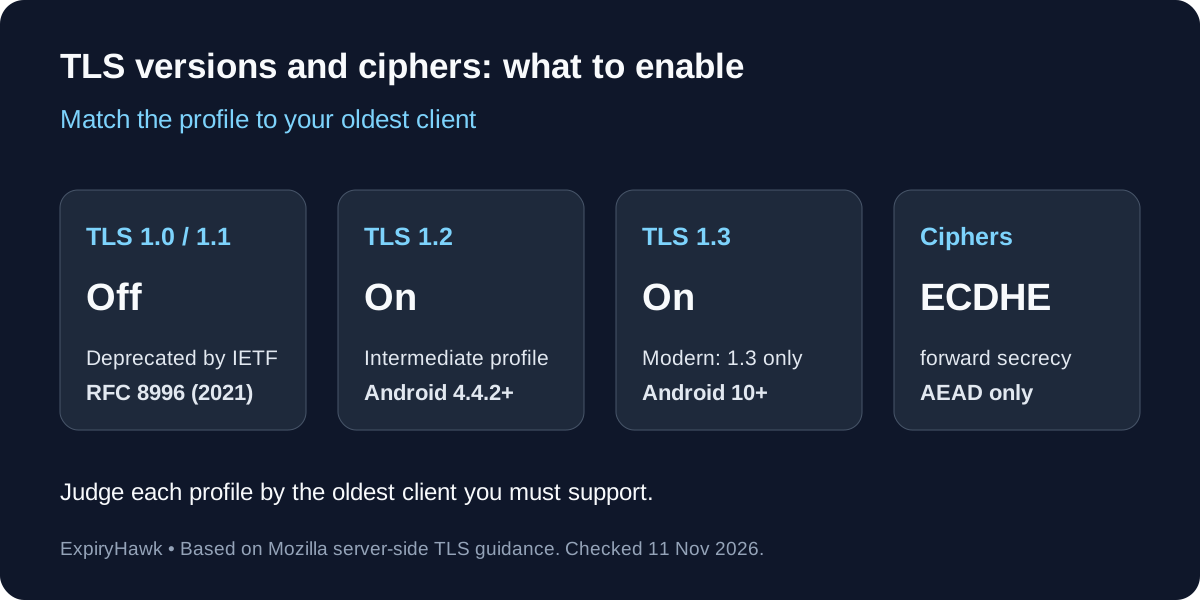
For most sites, enable TLS 1.2 and TLS 1.3 only, and use forward-secret AEAD ciphers such as Mozilla’s Intermediate profile. Serve TLS 1.3 only when every client you care about is recent enough, and do not enable TLS 1.0 or 1.1. The right setting depends on the oldest client you must support, so measure your traffic before you raise the floor.
1. Three Decisions, Not One#
“SSL settings” hide three separate choices:
- Protocol versions: which TLS versions the server accepts.
- Cipher suites: which encryption algorithms the server will negotiate within those versions.
- Where TLS ends: the web server, a load balancer, a cache’s TLS proxy or a CDN edge, because each one has its own settings.
TLS 1.3 also configures ciphers separately from TLS 1.2. HAProxy’s documentation, for example, uses one directive for TLS 1.2 and earlier cipher lists and another for TLS 1.3 suites (HAProxy). nginx follows the same split, with a separate ssl_conf_command Ciphersuites example for TLS 1.3 (nginx).
2. Which TLS Versions to Enable#
| Version | Status | What we recommend |
|---|---|---|
| TLS 1.0 and 1.1 | Formally deprecated by the IETF in March 2021 | Off |
| TLS 1.2 | Still the broadest compatibility floor | On |
| TLS 1.3 | Current version, defined in RFC 9846 | On |
The IETF deprecated TLS 1.0 and 1.1 in RFC 8996, moving them to Historic status. Browsers had already acted: Apple announced removal from Safari beginning in March 2020 (WebKit), and a compatibility summary quoted in Ubuntu’s specification lists support as removed in Chrome 84, Edge 84, Firefox 78 and Safari 14 (Ubuntu). Cloudflare’s docs add that PCI has required TLS 1.2 since June 2018 (Cloudflare).
TLS 1.3 is not just a faster TLS 1.2. RFC 9846, which obsoletes RFC 8446 and the TLS 1.2 specification, notes that the remaining symmetric algorithms are all AEAD ciphers and that handshake messages after the ServerHello are now encrypted (RFC 9846). Qualys SSL Pulse data from June 2025, as reported by SSL Insights, showed about 75% of the top 150,000 sites supporting TLS 1.3 (SSL Insights).
One dissenting view is worth knowing. Cloudflare’s documentation says it keeps TLS 1.0 as the default minimum for certificate-based encryption and suggests considering TLS 1.0 or 1.1 for broad, non-transactional audiences. Mozilla’s guidance and the IETF point the other way, and we agree with them for anything that handles logins or payments.
3. Mozilla’s Three Profiles and the Clients They Support#
Mozilla’s server-side TLS guidance is the most widely used reference. It defines three profiles, and the profile you pick sets your oldest supported client. The public guidelines moved in June 2026 to a community project at docs.tlsref.org, so check there for the current version (Mozilla).
| Modern | Intermediate | |
|---|---|---|
| Protocols | TLS 1.3 only | TLS 1.2 and 1.3 |
| Certificate | ECDSA (P-256) | ECDSA (P-256) recommended, or RSA 2048 |
| Chrome | 70 | 49 |
| Firefox | 63 | 31.3 |
| Safari | 12.1 | 9 |
| Edge | 75 | 15 (Windows 10) |
| Android | 10 | 4.4.2 |
| Java | 11 | 8u161 |
| OpenSSL | 1.1.1 | 1.0.1l |
Mozilla also describes an Old profile for very old clients such as Windows XP with Internet Explorer 8, Java 6 and OpenSSL 0.9.8, and calls it a last resort. We would not use it on a public site.
Intermediate is Mozilla’s recommended profile for a general-purpose server. Both profiles recommend an HSTS max-age of two years (63072000 seconds) and let the client choose the cipher order in Intermediate. Mozilla recommends ECDSA certificates partly because they allow ECDHE with Internet Explorer 11 on Windows 7. Administrators who must serve IE 11 on Windows Server 2008 R2 without an ECDSA certificate can add one extra CBC suite, TLS_ECDHE_RSA_WITH_AES_128_CBC_SHA.
In practice, anyone older than the Intermediate column cannot connect. That includes Windows XP, Internet Explorer 10 and earlier, Java 7 and Android 4.3 or older.
4. Choosing Cipher Suites#
For TLS 1.2, aim for these properties:
- Forward secrecy: use ECDHE key exchange, so a stolen server key cannot decrypt recorded traffic.
- Authenticated encryption: use AES-GCM or ChaCha20-Poly1305.
- No legacy algorithms: exclude RC4, 3DES and MD5.
For TLS 1.3 you do not choose much. Mozilla’s lists contain the same three suites in both profiles: TLS_AES_128_GCM_SHA256, TLS_AES_256_GCM_SHA384 and TLS_CHACHA20_POLY1305_SHA256.
Letting the client choose the order, as Intermediate does, means a phone without AES hardware acceleration can prefer ChaCha20. That is why we recommend turning server cipher preference off for TLS 1.2 unless you have a specific reason not to.
Mozilla’s newest revision also prepends a hybrid post-quantum key exchange, X25519MLKEM768, to its recommended groups. If you set curves manually, check that your OpenSSL version supports it, or leave nginx’s default ssl_ecdh_curve auto.
5. nginx Configuration#
Recent nginx is already close to Intermediate on protocols. Its documentation lists TLSv1.2 TLSv1.3 as the default, with TLS 1.3 included by default since version 1.23.4. The default cipher string is HIGH:!aNULL:!MD5, server cipher preference is off, and DHE ciphers are disabled unless you set ssl_dhparam. OCSP stapling is off, and session tickets are on by default.
A solid starting point:
ssl_protocols             TLSv1.2 TLSv1.3;
ssl_ciphers               ECDHE-ECDSA-AES128-GCM-SHA256:ECDHE-RSA-AES128-GCM-SHA256:ECDHE-ECDSA-AES256-GCM-SHA384:ECDHE-RSA-AES256-GCM-SHA384:ECDHE-ECDSA-CHACHA20-POLY1305:ECDHE-RSA-CHACHA20-POLY1305;
ssl_prefer_server_ciphers off;
ssl_session_cache         shared:SSL:10m;
ssl_session_timeout       1d;
ssl_session_tickets       off;
add_header Strict-Transport-Security "max-age=63072000" always;
Generate the current cipher list from Mozilla’s generator or tlsref rather than copying ours, because the lists change. Do not copy the example cipher string in nginx’s own module documentation either: it includes RC4 and 3DES and exists only to show syntax.
Two other settings deserve attention. ssl_early_data (TLS 1.3 0-RTT) is off by default, and nginx warns that early data can be replayed, so leave it off unless your application handles replays. On session resumption, nginx’s shared cache rotates ticket keys automatically from version 1.23.2, but servers behind a load balancer need a shared ssl_session_ticket_key. Mozilla’s changelog flags a risk with TLS tickets, which is why its configurations disable them.
To serve TLS 1.3 only, set ssl_protocols TLSv1.3;. Only do this once your logs show that no client you need falls below it.
6. Apache Configuration#
Apache’s own sample configuration sets SSLProtocol all -SSLv3, which leaves TLS 1.0 and 1.1 enabled unless your OpenSSL build disables them. Its comments say TLS 1.0 should be disabled as quickly as practical. OCSP stapling is disabled by default and needs both SSLUseStapling and SSLStaplingCache (Apache sample config).
SSLProtocol             -all +TLSv1.2 +TLSv1.3
SSLCipherSuite          ECDHE-ECDSA-AES128-GCM-SHA256:ECDHE-RSA-AES128-GCM-SHA256:ECDHE-ECDSA-AES256-GCM-SHA384:ECDHE-RSA-AES256-GCM-SHA384:ECDHE-ECDSA-CHACHA20-POLY1305:ECDHE-RSA-CHACHA20-POLY1305
SSLHonorCipherOrder     off
SSLSessionTickets       off
Header always set Strict-Transport-Security "max-age=63072000"
The sample file sets SSLHonorCipherOrder on, whereas Mozilla’s Intermediate profile lets the client choose, so decide deliberately. The development version of the Apache docs also lists an SSLPolicy directive with Intermediate and Modern options, but we found it only in the trunk documentation, so do not rely on it in a stable 2.4 install (Apache trunk docs).
7. Caches, Proxies and CDNs#
The setting that matters is the one on whatever terminates TLS.
Varnish: Varnish Software’s documentation explains that Varnish historically had no TLS support and instead supports the PROXY protocol, with Hitch, its open source TLS proxy, doing the termination (Varnish Software). Apply your chosen profile to Hitch, or to the nginx or Apache instance in front of Varnish, not to Varnish itself.
HAProxy: set a global floor and separate cipher lists for TLS 1.2 and 1.3:
global
    ssl-default-bind-options ssl-min-ver TLSv1.2
    ssl-default-bind-ciphers ECDHE-ECDSA-AES128-GCM-SHA256:ECDHE-RSA-AES128-GCM-SHA256:ECDHE-ECDSA-AES256-GCM-SHA384:ECDHE-RSA-AES256-GCM-SHA384:ECDHE-ECDSA-CHACHA20-POLY1305:ECDHE-RSA-CHACHA20-POLY1305
    ssl-default-bind-ciphersuites TLS_AES_128_GCM_SHA256:TLS_AES_256_GCM_SHA384:TLS_CHACHA20_POLY1305_SHA256
The TLS 1.3 directive needs HAProxy built with OpenSSL 1.1.1 or later, so an error about an unknown keyword usually means an older build.
CDNs: using Cloudflare as an example, its docs say TLS 1.0 is the default minimum for all customers using certificate-based encryption, and that you raise the floor with the Minimum TLS Version setting (Cloudflare). The TLS 1.3 toggle is separate, and you cannot choose individual TLS 1.3 ciphers, though you can disable weak ciphers for TLS 1.0 to 1.2 (Cloudflare). Its docs also warn that PayPal IPN might not support TLS 1.3. Remember that the edge setting and your origin server’s setting are independent, so tighten both.
8. Measure Before You Tighten#
Raising the floor silently blocks old clients, and they never appear in your application logs. Log the negotiated protocol and cipher first:
- nginx: log
$ssl_protocoland$ssl_cipherin your access log format. - Apache: log
%{SSL_PROTOCOL}xand%{SSL_CIPHER}x, which mod_ssl provides as custom log variables.
Review a few weeks of data, look at who still negotiates TLS 1.2 or older, and decide from there. If a business-critical client truly needs a weaker setting, put it on a separate hostname rather than weakening your main site.
9. Verify the Result#
After changing the configuration, test each protocol explicitly:
openssl s_client -connect example.com:443 -servername example.com -tls1_3 </dev/null 2>/dev/null | grep -E "Protocol|Cipher"
openssl s_client -connect example.com:443 -servername example.com -tls1_1 </dev/null
The first command should negotiate TLS 1.3. The second should fail. A failure of the TLS 1.1 test can also come from your own OpenSSL build refusing to offer it, so compare with a known-good server. The s_client documentation lists the protocol options.
Repeat the check on every listener, including services on custom ports, as covered in How to Check an SSL Certificate on a Custom Port.
Related Settings That Affect Expiry and Revocation#
Two points touch certificate lifetime directly. Mozilla recommends certificate lifespans of 90 days at most for automation, up to 366 days, so renewal has to be automated and watched. And OCSP stapling no longer helps Let’s Encrypt certificates: it shut down its OCSP responders on 6 August 2025, and noted that popular web servers implement stapling in ways that can risk downtime (Let’s Encrypt). Stapling remains useful only for certificates from CAs that still publish OCSP.
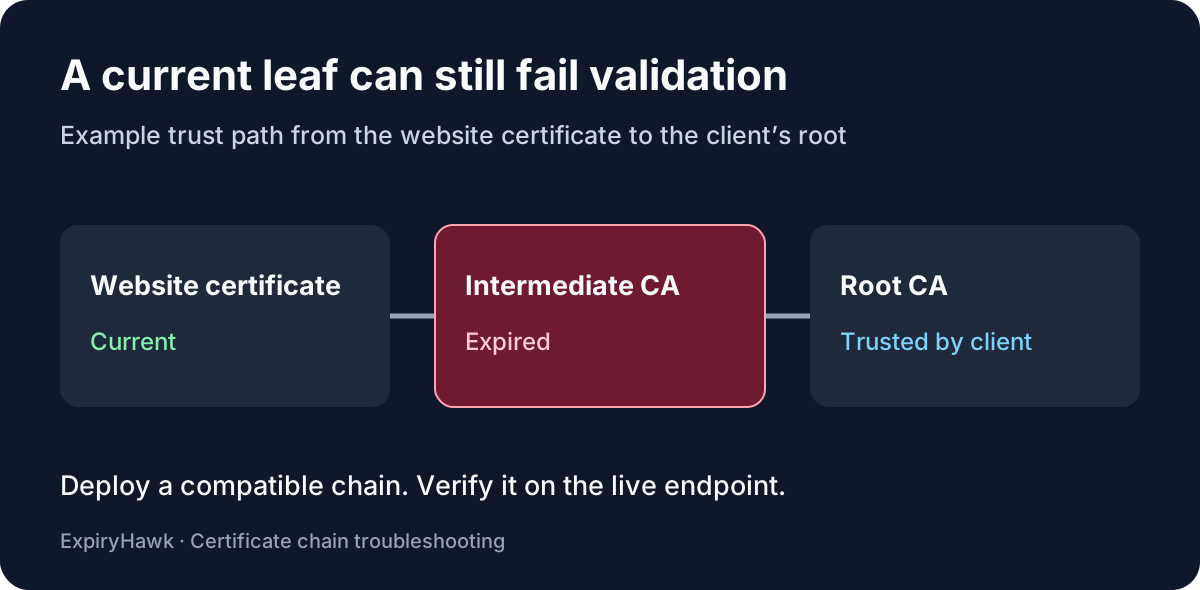
A hardened configuration still fails if the certificate expires. For checking expiry from the command line, see How to Check SSL Expiry with OpenSSL, and use ExpiryHawk to watch every hostname so a perfect cipher list never ends in an expired-certificate warning.