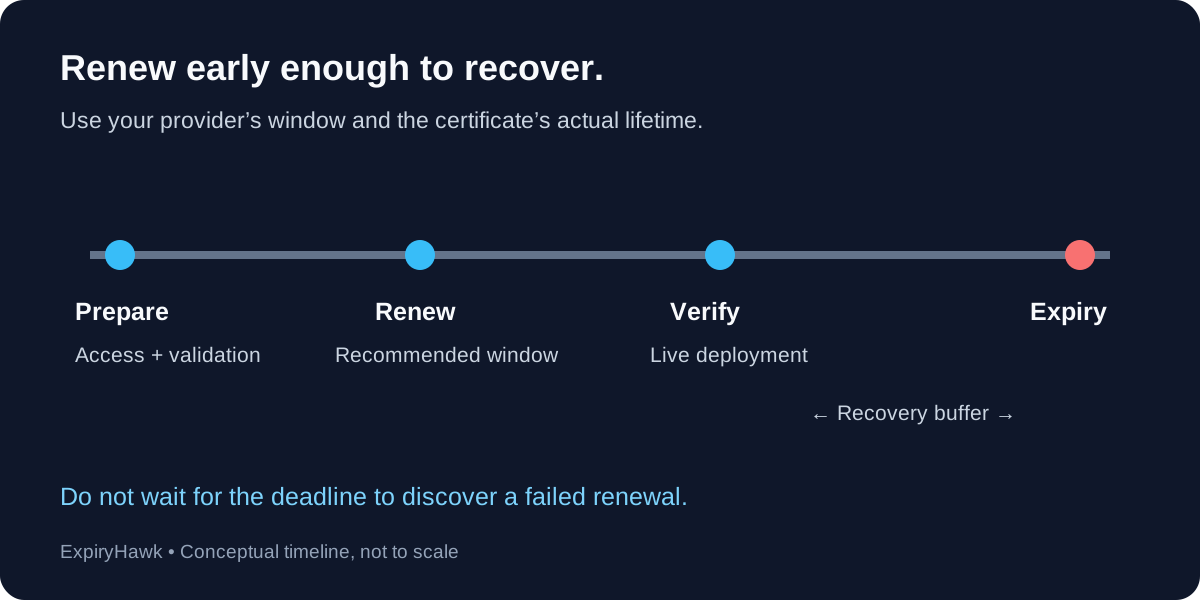
Renew your SSL certificate during your provider’s recommended renewal window, leaving time for validation failures, deployment, and retesting. For automated ACME certificates, let an up-to-date client follow the certificate authority’s renewal guidance. A fixed “30 days before expiry” rule does not fit every certificate lifetime. Never make the expiry day your planned renewal day.
1. Use the Recommended Renewal Window#
Let’s Encrypt recommends clients check ACME Renewal Information (ARI), which supplies a suggested renewal window. Its fallback guidance is to renew when one-third of the certificate’s total lifetime remains, or halfway through the lifetime for certificates valid for fewer than ten days.
For illustration, that fallback means 30 days remaining on a 90-day certificate and 15 days remaining on a 45-day certificate. These are examples, not a claim that every certificate uses those lifetimes. Follow the Let’s Encrypt integration guide and your actual certificate profile.
For a commercial or manually managed certificate, check your issuer’s renewal process and your organization’s validation requirements. Start administrative preparation before the intended issuance date if approvals or account access could delay you.
2. Separate Preparation from Issuance#
You can check readiness before requesting a replacement. Confirm that the responsible person can access the certificate account and that the renewal method still works after infrastructure changes.
Review these items:
- Domain validation can reach the required HTTP endpoint or DNS records.
- DNS API credentials and renewal automation remain available.
- The replacement can reach every server or proxy that needs it.
- Someone receives renewal failures and can investigate them.
For Certbot, sudo certbot renew --dry-run tests renewal without installing a new production certificate. Deploy hooks do not run by default during that test. Review the Certbot renewal documentation before using it as evidence that the complete deployment works.
3. Leave a Recovery Buffer#
Choose an internal completion target that allows more than one attempt. Consider weekends, staff availability, DNS changes, and service deployment procedures. A complex manual process needs more preparation than a well-tested automated one.
For example, a team managing a 90-day certificate might use the normal renewal window around 30 days remaining, then investigate promptly if no replacement appears. That is an operational example, not a universal deadline.
For very short-lived certificates, use automation and alerts suited to their shorter cycle. A reminder that first fires seven days before expiry is unsuitable for a certificate whose entire lifetime is shorter than that.
4. Count Deployment as Part of Renewal#
A successful issuance message does not mean visitors receive the new certificate. Verify the public hostname after deployment, including the CDN or load balancer where HTTPS terminates. Check that the expiry date advanced and the intended names are covered.
If the public service still shows the old certificate, follow SSL Renewed but Still Showing Expired?.
Keep monitoring active after renewal. Use the ExpiryHawk SSL Checker for an independent check of the public endpoint, and treat approaching expiry or a failed check as a reason to investigate while recovery time remains.