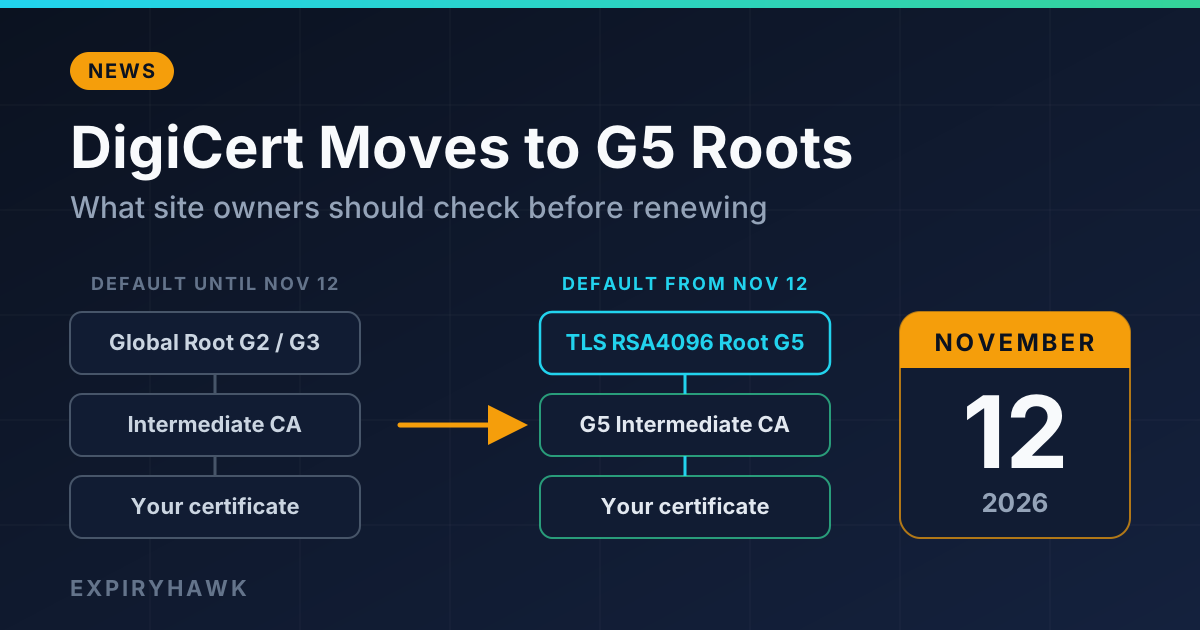
Starting November 12, 2026, new and renewed public TLS certificates from DigiCert will chain to its G5 roots by default. Most websites will not notice. The sites at risk are those with clients that have old or frozen trust stores, such as embedded devices, appliances, and legacy software. If that describes anything you run, test before your next DigiCert renewal.
Updated November 3, 2026. DigiCert has already postponed this change once, so confirm the date in DigiCert’s notices linked at the end.
What’s Changing#
DigiCert is changing the default hierarchy used to issue publicly trusted TLS certificates. Certificates ordered, renewed, reissued, or duplicated from November 12 will chain to the DigiCert TLS RSA4096 Root G5 (or the ECC P384 equivalent) rather than the older Global G2 and G3 roots. The new intermediates are labeled G5 and use RSA 4096-bit keys with SHA-384 signatures.
Certificates you already have keep their current chain until they are replaced. ACME users who have already selected a specific intermediate chain on their DigiCert ACME directory keep that selection, according to DigiCert’s migration guide.
Who Is Affected#
The change applies to certificates issued through DigiCert and its brands, including GeoTrust, Thawte, RapidSSL, and Encryption Everywhere. If your certificates come from Let’s Encrypt, ZeroSSL, or another authority, this announcement does not change anything for you.
For most DigiCert customers, no action is needed as long as you install the full certificate chain DigiCert provides. Problems are most likely when:
- A client does not have the G5 root in its trust store, which is common on older embedded systems, appliances, and unpatched operating system images.
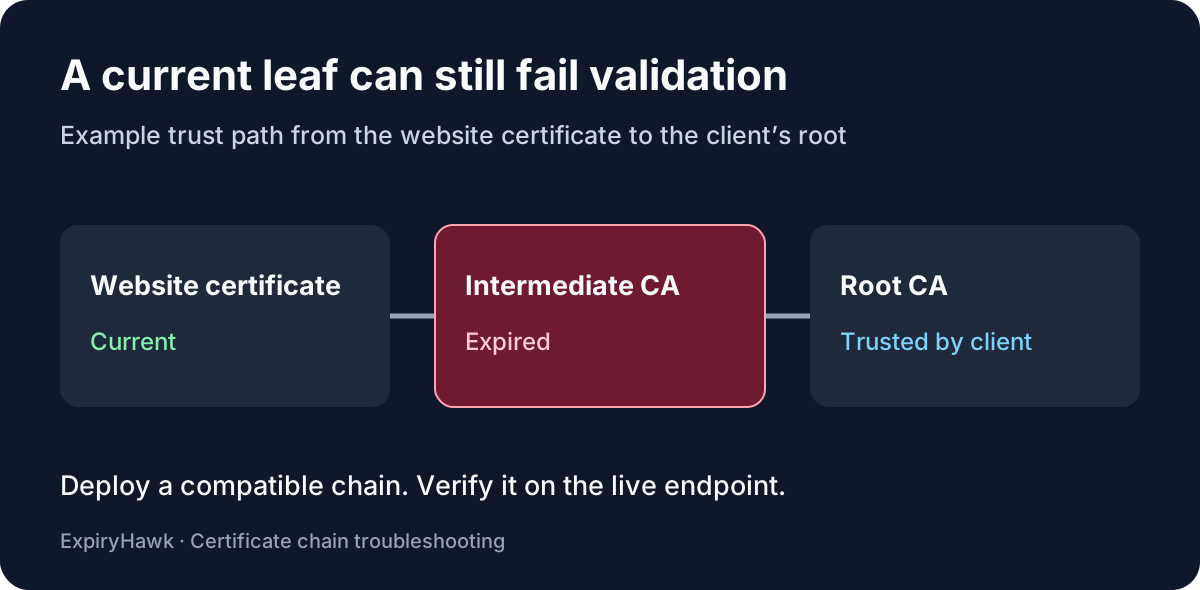
- A server presents an incomplete chain and relies on clients to fill in the gaps.
- A device pins a specific root or intermediate certificate.
- A load balancer, CDN, or proxy holds an older copy of the certificate chain.
The "SHA-384 / RSA 4096" detail matters less than it sounds. Most modern TLS stacks handle those algorithms. Trust store contents are the more common cause of failures.
1. Check Which Chain Your Server Presents Now#
Look at the live endpoint, not the files on disk. Replace example.com with your hostname.
Linux and macOS (OpenSSL):
echo | openssl s_client -connect example.com:443 -servername example.com -showcerts 2>/dev/null | grep -E '^( *[0-9]+ s:| +i:)'This lists each certificate in the chain with its subject (s:) and issuer (i:). After a DigiCert renewal on or after November 12, look for a G5 intermediate and the DigiCert TLS RSA4096 Root G5 as its issuer.
To see the issuer and expiry of the leaf certificate only:
echo | openssl s_client -connect example.com:443 -servername example.com 2>/dev/null | openssl x509 -noout -issuer -enddateWindows (PowerShell, no extra tools needed):
$h = "example.com"
$tcp = New-Object Net.Sockets.TcpClient($h, 443)
$ssl = New-Object Net.Security.SslStream($tcp.GetStream(), $false, { $true })
$ssl.AuthenticateAsClient($h)
$cert = New-Object Security.Cryptography.X509Certificates.X509Certificate2($ssl.RemoteCertificate)
$chain = New-Object Security.Cryptography.X509Certificates.X509Chain
$chain.Build($cert) | Out-Null
$chain.ChainElements | ForEach-Object { $_.Certificate.Subject }
$tcp.Close()
Note that Windows builds this chain from its own certificate store, so it shows what Windows resolves, which can differ from what the server actually sent. Use the OpenSSL command (available through WSL or Git Bash) to see exactly what the server presents.
2. Test Against an Old Trust Store#
To simulate a legacy client, point OpenSSL at the CA bundle that device uses (for example, one copied from the old system):
openssl s_client -connect example.com:443 -servername example.com -CAfile /path/to/old-ca-bundle.pem -verify_return_error </dev/null 2>&1 | grep -E 'Verify return code|verify error'Verify return code: 0 (ok) means that trust store accepts the chain. Any other code, such as unable to get local issuer certificate, means that client would likely fail once your certificate moves to G5.
3. Check It From the Outside With ExpiryHawk#
A command line check only tells you what your own machine sees. The free ExpiryHawk SSL Checker tests the public endpoint from outside your network and shows days remaining, TLS version, certificate authority, and the full certificate chain from leaf to root, along with domain registration expiry.
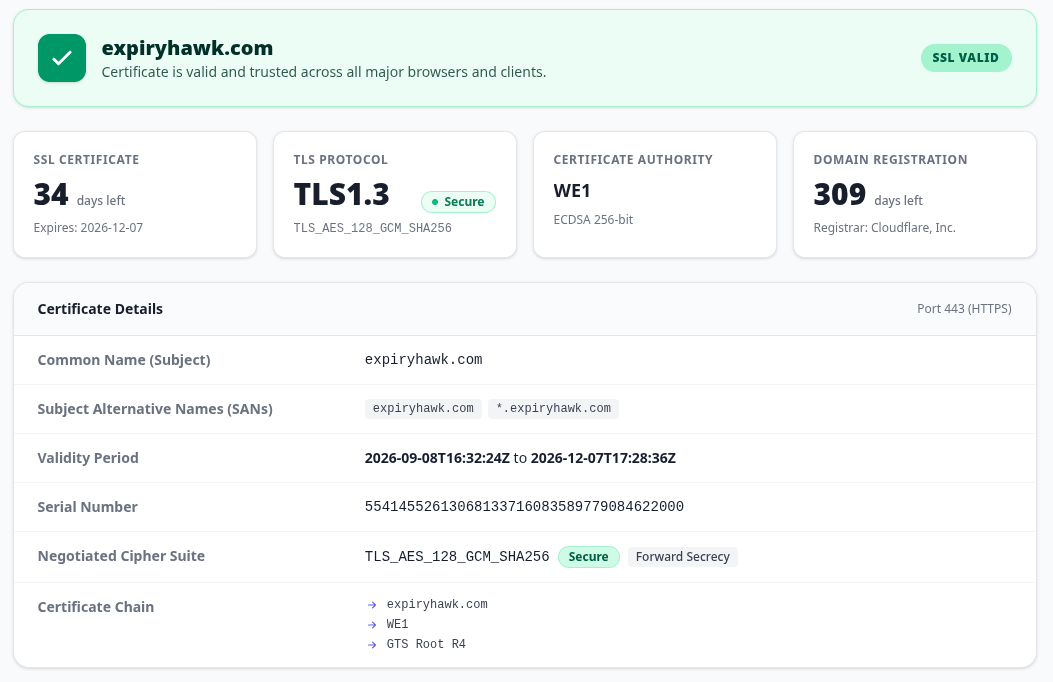
Example SSL Checker output for expiryhawk.com. After a DigiCert certificate is renewed on or after November 12, look for a G5 intermediate and root in the chain list.
After you renew a DigiCert certificate, the chain list is where you confirm which root you now chain to. To catch chain problems automatically, add your domains to ExpiryHawk monitoring, which validates the chain and root authority as part of its scheduled scans.
What To Do This Week#
- List every certificate you buy from DigiCert or its brands, and when each renews.
- Identify clients that may have outdated trust stores: IoT devices, payment terminals, appliances, old Java runtimes, and legacy integrations.
- Test those clients against a G5 chain before renewal, using the commands above or a staging certificate.
- Install the full chain DigiCert provides on every server, load balancer, and CDN.
- Review your renewal process: if you need a specific intermediate chain, set it explicitly in your DigiCert account or ACME configuration instead of relying on the default.
- After renewing, confirm the live chain with the commands above or the SSL Checker.
For general checking methods, see How to Check Your SSL Certificate Expiry Date. A certificate renewal is also separate from your domain registration deadline; see Domain Expiry vs SSL Expiry: What’s the Difference?.